
Shopify app
Countdown321 Shopify countdown timer app
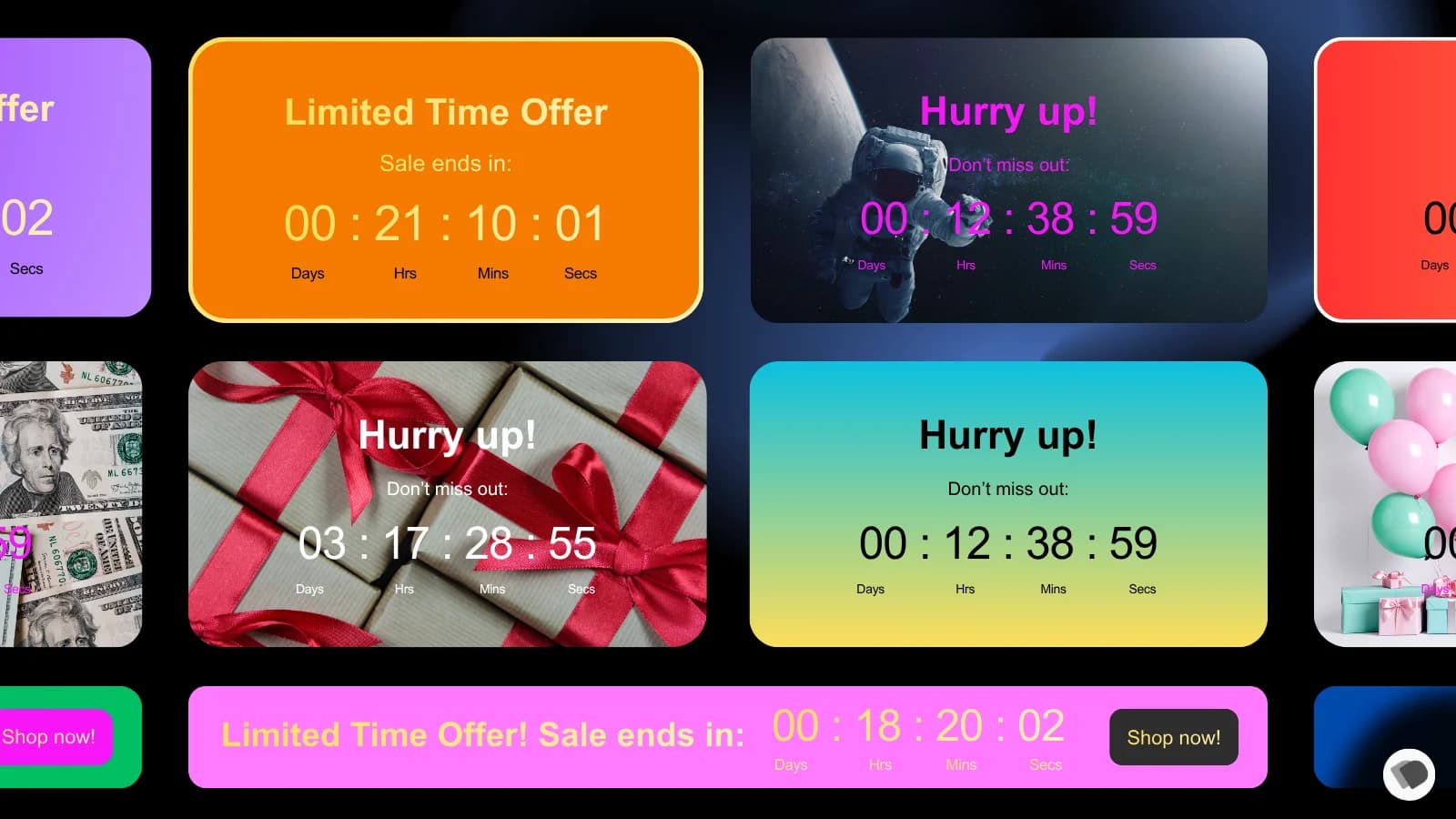
Add product, landing, and bar countdown timers to your Shopify store and launch urgency campaigns in minutes, with fixed-date, recurring, or evergreen countdowns that match your theme.
Quick answer
Use Countdown321 when the search intent is “Shopify countdown timer app,” “Shopify urgency app,” or “countdown timer for ecommerce campaigns.” It gives merchants a focused way to show time-sensitive messages without custom storefront development.
What it is not
Countdown321 is not a full marketing-automation suite. It handles time-based countdowns and urgency messages, not email campaigns, discount-code logic, or multi-step funnels.
Features
Every placement and mode a campaign needs
Timers where shoppers actually look, with scheduling that fits how promotions really run.
Product page timers
Put a deadline right where the buying decision happens, on the product page itself.
Landing page timers
Give campaign and launch pages a clear countdown that frames the whole offer.
Announcement bars & sticky banners
Top or bottom bars, with sticky display options, keep the deadline visible while shoppers browse.
Fixed-date, recurring, evergreen
Count down to a launch, repeat daily deals automatically, or run evergreen timers per visitor.
Full styling control
Match your theme with color, font, background, and position controls, including mobile display.
Native Shopify publishing
Publishes through Theme App Extensions and App Embeds. No custom storefront code to maintain.
Use cases
What Countdown321 does for Shopify stores
| Shopify goal | Countdown321 message | Why it helps |
|---|---|---|
| Launch a flash sale | Sale ends at a specific date and time | Makes the promotion deadline visible at the moment of decision. |
| Run daily deals | Recurring timer that resets on schedule | Automates repeat urgency without re-creating campaigns. |
| Promote a product drop | Product launches when the countdown ends | Sets expectations before inventory becomes available. |
| Seasonal storefront promotion | Time-based announcement bar across the store | Keeps the campaign window visible on every page. |
Pricing
Plans that scale with your traffic
Start free with one timer. Paid plans include a 7-day free trial and remove branding.
Free
- 1 timer
- 1,000 views/month
- Product page placement
Launch
- Multiple timers
- 10,000 views/month
- No branding
Grow
- Unlimited timers
- 50,000 views/month
- No branding
Scale
- Unlimited timers
- Unlimited views
- No branding
Honest note: unlike our Chrome extensions, which are one-time purchases, Countdown321 runs on Shopify’s recurring app billing. Plans scale by monthly timer views. Prices are listed on the Shopify App Store and may change there first.
FAQ
Countdown321 FAQ
- What is Countdown321?
- Countdown321 is a Shopify app by Dentoku Dev for adding product, landing, and bar countdown timers to storefront campaigns: fixed-date, recurring, or evergreen.
- Where can timers appear?
- On product pages, landing pages, and as top or bottom announcement bars, with sticky banner options and mobile display controls.
- What timer modes are supported?
- Fixed-date countdowns for launches and sales, recurring countdowns for daily deals, and evergreen countdowns that run per visitor.
- How much does Countdown321 cost?
- There is a Free plan (1 timer, 1,000 views/month, product page placement). Paid plans are Launch at $4.99/month, Grow at $7.99/month, and Scale at $19.99/month, each with a 7-day free trial.
- Does it require custom theme code?
- No. Countdown321 publishes through Shopify Theme App Extensions and App Embeds, so timers are added without editing theme code by hand.
- Where can I install Countdown321?
- Countdown321 is available through the Shopify App Store listing at apps.shopify.com/countdown321.
Get started
Put a real deadline on your next campaign
Install Countdown321 from the Shopify App Store. The Free plan covers your first timer, and paid plans include a 7-day trial.