
01
Sales researchers
Build prospecting lists from company pages, partner directories, and local branch indexes.
 Free Chrome extension. No setup, no API key.
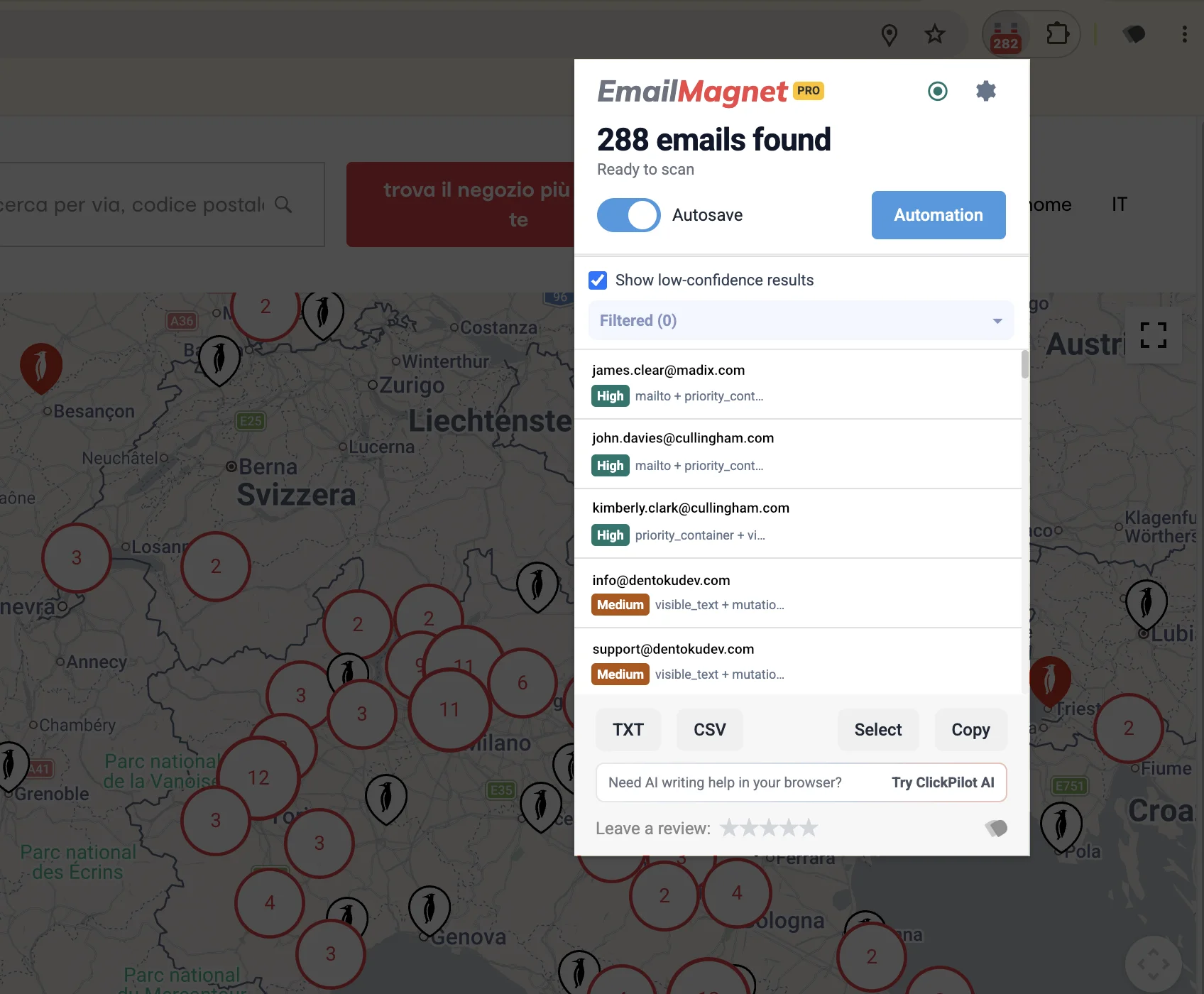
EmailMagnet is the Chrome extension that finds public business emails while you browse. Review them, then export clean CSV or TXT lists in one click.
Chrome
Setup
Visible emails
Data source
CSV/TXT
Export
Build prospecting lists from company pages, partner directories, and local branch indexes.
Collect visible role/team emails while reviewing employers, portfolios, and hiring pages.
Turn repeated market research into a structured list without maintaining a scraping stack.

EmailMagnet is designed for pages you are already evaluating. The tool speeds up collection, while your team keeps control of source quality and usage decisions.
Use extraction on pages where the business context is visible and relevant.
Choose what belongs in your final list instead of bulk-exporting blindly.
Move CSV/TXT output into spreadsheet, CRM, and compliance review steps.
Before and after
EmailMagnet does not replace judgment. It removes the repetitive copy-paste work between finding a relevant page and preparing a clean list.
Manual workflow
Open each page, scan for addresses, and paste manually into a sheet.With EmailMagnet
Run one action inside Chrome and collect emails into a single export flow.Manual workflow
Spend extra time fixing duplicates and inconsistent formatting.With EmailMagnet
Export a structured list ready for qualification in CSV or TXT.Manual workflow
Lose source context when the copy-paste step gets long.With EmailMagnet
Keep collection tied to the exact pages you are actively reviewing.The math
EmailMagnet collapses the slowest part of lead research: finding addresses, copying them one by one, formatting them into a usable list. The math is brutal in your favor.
~20 sec
Saved per address
Manual: spot the address, copy, switch tab, paste, format. EmailMagnet surfaces every visible email on the page in one pass. No tab switching, no cleanup.
eight to one
Steps per page
Open page → select → copy → new tab → paste → format → review → save. We replace the whole loop with one extraction action and a single export.
$19
Lifetime, not monthly
One-time payment for PRO. Compare with the $30–$99 per seat per month most lead-gen tools ask for, and that's before the data add-ons.
Time figures based on the manual copy-paste workflow we replaced internally. Your mileage will depend on the source pages and how clean your review pass is.
Reviews
A handful of reviews so far, straight from the Chrome Web Store. Every one is five stars.
“Working in sales, this tool is excellent to gather prospect contacts. While simply surfing the web I am collecting contact data effortlessly.”
“EmailMagnet has become an essential tool in my digital toolkit. The way it collects emails while I browse has saved me precious time.”
“I really like this extension, it's a very useful tool that saved me a lot of time!”
“What I was looking for. Intuitive, fast, effective!”
Pricing
Free is enough to validate real workflows. PRO is for repeated research sessions, larger exports, autosave, and reviewed URL-list processing.
Try the browser workflow on real research sessions before you need higher limits.
Start FreeOne-time payment. No subscription, ever.
Pay once, keep it for life. No subscription, no seats, no renewals.
Get lifetime PROEmailMagnet is built for public contact research on pages you can access and review. The extension helps with collection and export, but your team controls lawful purpose, qualification, storage, outreach policy, and opt-out handling.
Capture visible emails from pages you are already reviewing instead of scanning, copying, and formatting each address by hand.
Save reviewed emails as CSV or TXT files that can move into spreadsheets, CRMs, qualification steps, or follow-up workflows.
EmailMagnet fits research sessions where you can see why an address is public before deciding whether it belongs in your list.
FAQ
Short answers on capabilities, pricing, and responsible use before you adopt the extension in recurring workflows.
Newsletter
Loading subscription form...
Contact EmailMagnet support for product questions, billing help, or documentation requests.
Typical response time is within one business day.
We use strictly necessary cookies to run this site, and, only with your consent, analytics and marketing cookies. You can accept, reject, or choose per category. Read our Cookie Policy.